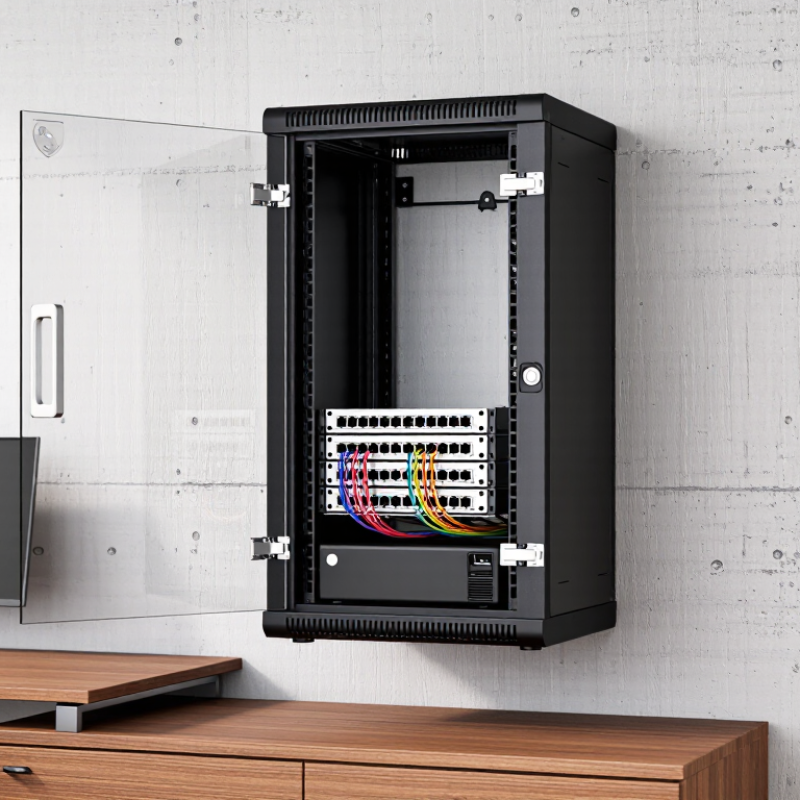
| Small home network | 6U–9U | 300–450 mm | Passive ventilation may be sufficient for a modem, router, switch, and patch panel. Keep ventilation openings unobstructed. | Lockable front door is useful for preventing accidental access to network equipment. | Use a small vertical cable-management ring or side channel. Leave service loops for patch cables. | Use a rack-mounted power strip with overload protection. Keep the total load below the circuit rating. | Good for light loads |
| Home lab or NAS system | 9U–12U | 450–600 mm | Prefer perforated doors and top or side ventilation. Add thermostatically controlled fans when storage devices or multiple active systems are installed. | Lockable doors and removable side panels help limit tampering while retaining maintenance access. | Provide front and rear cable routing. Separate power cables from data cables where practical to improve serviceability. | Allow capacity for startup current from storage systems and servers. Consider a UPS with automatic shutdown support. | Best for moderate loads |
| Small office network closet | 12U–15U | 450–600 mm | Use front-to-rear airflow, perforated panels, and fan monitoring. Maintain clear intake and exhaust paths around active equipment. | Locking front and side panels reduce unauthorized access. A wall structure capable of supporting the loaded cabinet is essential. | Use horizontal patch-cable managers, vertical side channels, and labeled patch panels. Reserve space for future connections. | Use a dedicated, properly grounded circuit where required. A UPS can protect network equipment from short interruptions. | Strong all-round choice |
| Office with short-depth servers | 15U–18U | 600–750 mm | Active fan cooling is normally recommended. Check the cabinet's rated airflow and avoid placing heat-producing devices directly above one another. | Use a lockable enclosure with secured side panels. Confirm that the installation location does not expose the rack to public traffic or moisture. | Use vertical cable managers on both sides when possible. Maintain bend-radius limits specified by cable manufacturers. | Plan separate power distribution for servers, network equipment, and UPS equipment when the electrical design permits. | Suitable for compact deployments |
| High-density equipment | 18U or larger | 600–900 mm | Wall mounting may be unsuitable if heat output and total weight are high. Calculate thermal load and verify airflow before installation. | Use a fully lockable enclosure, controlled access, and tamper-resistant mounting hardware where appropriate. | Use dedicated vertical managers, overhead or under-rack pathways, and clear labeling for every cable run. | Perform a measured load calculation. Verify circuit capacity, UPS runtime, power-distribution ratings, and heat generated by the equipment. | Review structural limits first |
| Network-only installation | 6U–12U | 300–450 mm | Passive airflow often works for low-power switches and patch panels, provided the manufacturer's temperature limits are respected. | A locking door helps protect configuration ports and physical connections. | Use angled patch panels, short patch cables, and horizontal managers to reduce cable congestion. | Use a surge-protected rack power strip or appropriately rated power distribution unit. Do not daisy-chain power strips. | Efficient and compact |
| Security-sensitive office | 12U–18U | 450–750 mm | Choose filtered ventilation only if the filters can be inspected and cleaned regularly. Blocked filters can significantly reduce airflow. | Prioritize a lockable steel enclosure, protected hinges, secured side panels, and controlled key or access management. | Route cables through protected entry points and use labels on both ends. Keep unused ports covered to reduce dust entry. | Use a UPS for critical network devices and ensure power cables cannot be easily disconnected from outside the enclosure. | Strong physical protection |



 Close
Close